
 JapanJA
 ThailandEN
 VietnamEN
 LaosJA
 CambodiaEN
 MyanmarEN
 IndonesiaEN
 PhilippinesEN
 SingaporeEN
 MalaysiaEN
 IndiaEN
 BangladeshEN
 Sri LankaJA
 ChinaJA
 Hong KongEN
 MongoliaJA
 RussiaJA
 TürkiyeEN
 MoroccoJA
 KenyaJA
 South AfricaJA
 NigeriaJA
 MexicoEN
 BrazilJA
 PeruJA
 ColombiaJA
Vistruction
Turn operational know-how into living AI manuals
AI-assisted manual and workflow platform by SCAD (Tokyo Consulting Group) that converts videos, paper flowcharts, and SOPs into living standards.
Inside Vistruction
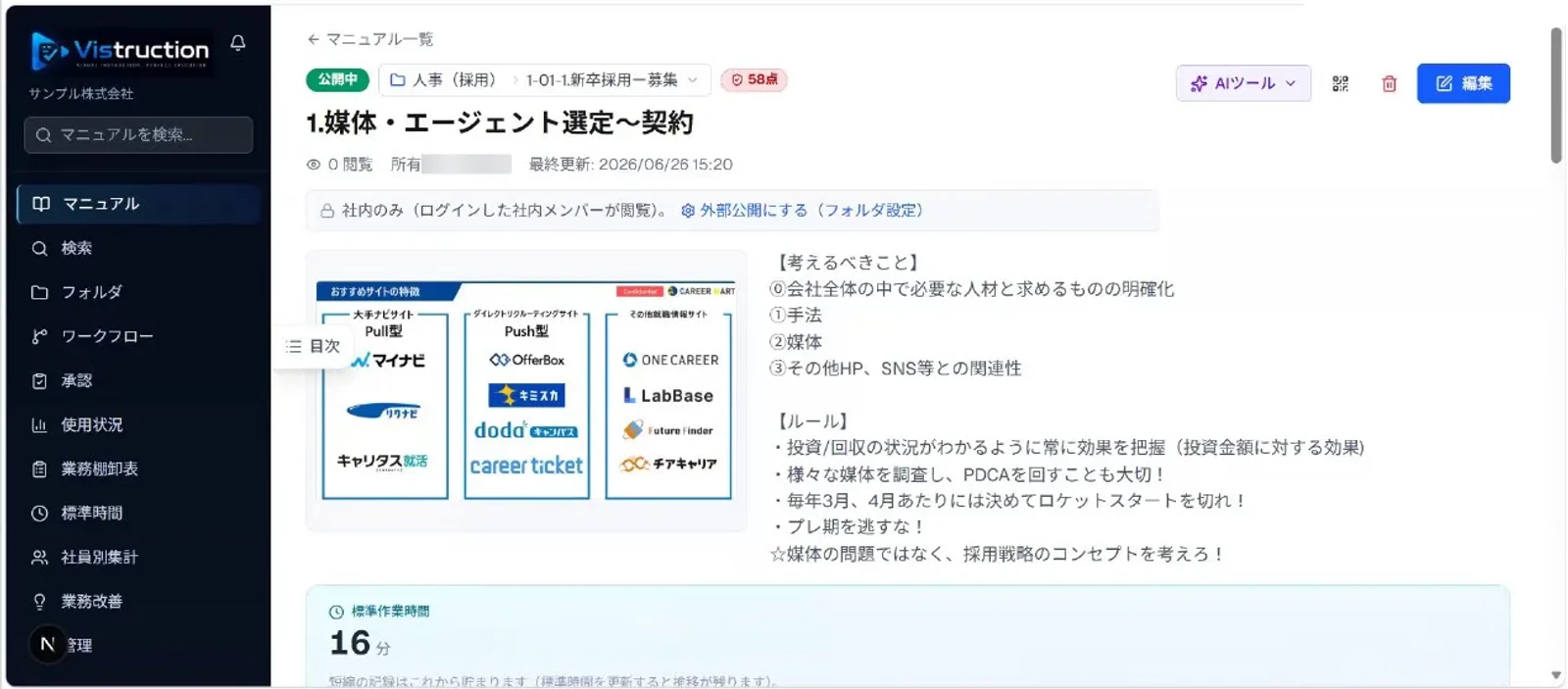
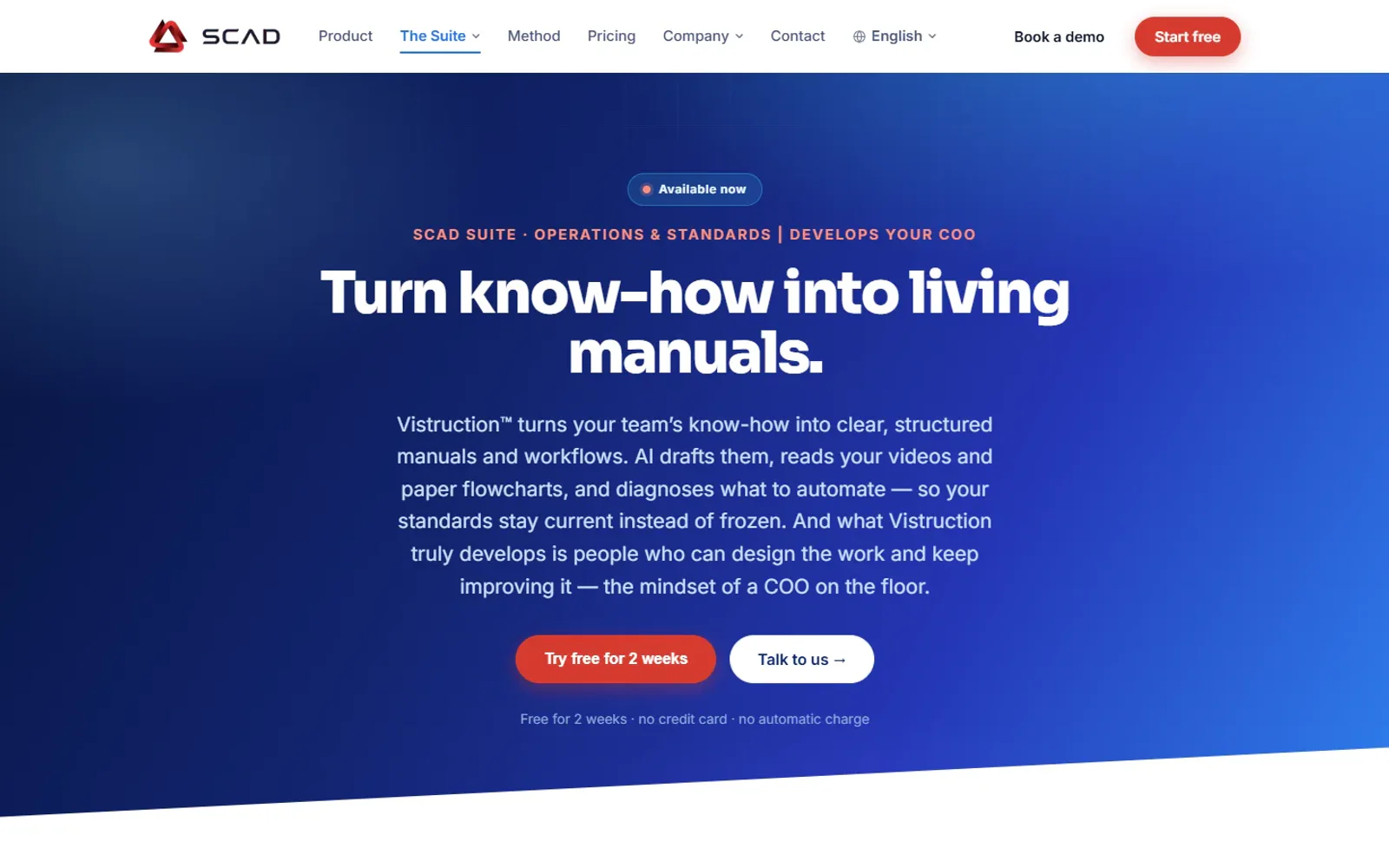
Vistruction is the operations and standardization application in the SCAD suite from Tokyo Consulting Group. Standardization often stalls because writing manuals from a blank page takes too much effort, know-how stays trapped in individual heads, and procedures fall out of date as soon as they are published.
Instead of starting from scratch, Vistruction turns existing materials into structured manuals and editable workflows. Teams can upload a training video, snap a photo of a hand-drawn paper flowchart, import existing SOPs, or describe a process in plain text. Under the hood, Vistruction routes each task to specialized AI models: Claude for reasoning and drafting, Gemini for visual understanding of images and silent video, and Whisper for audio transcription.
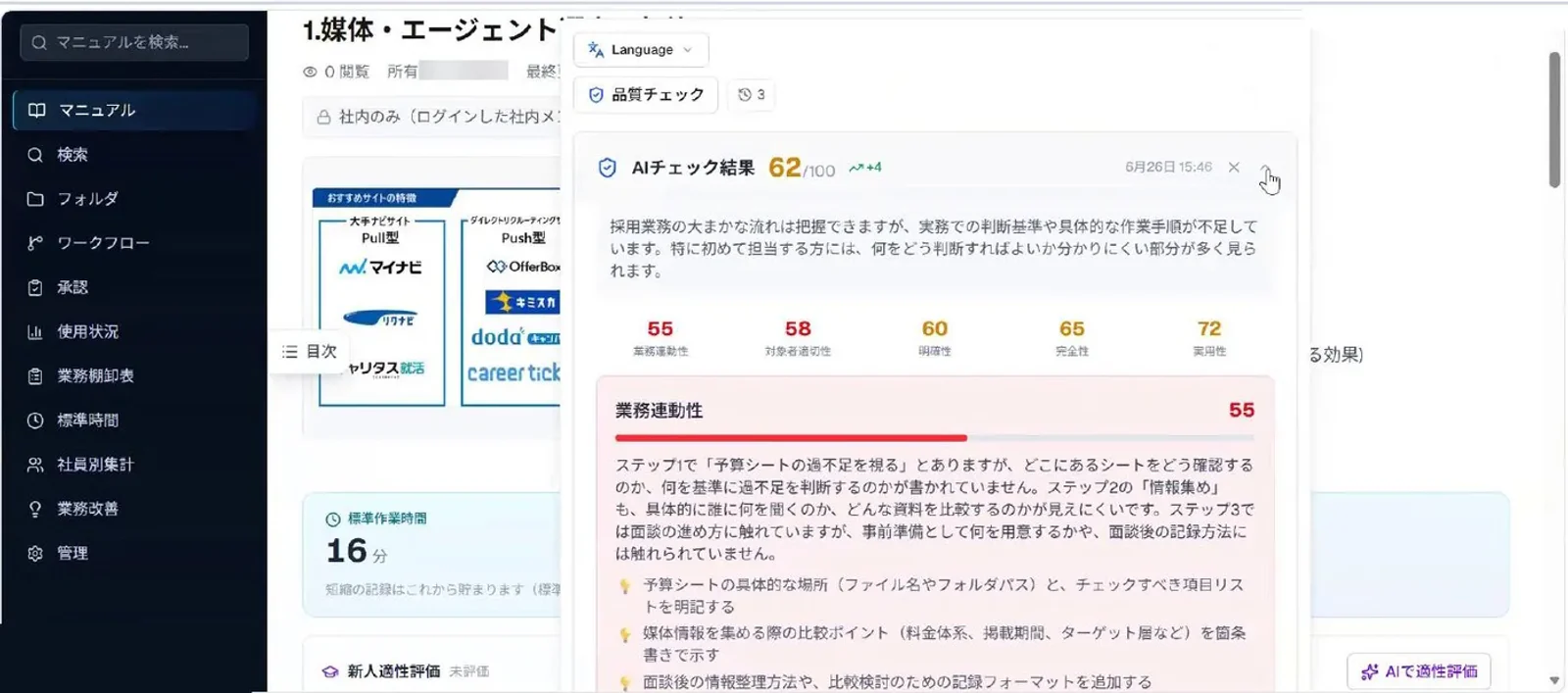
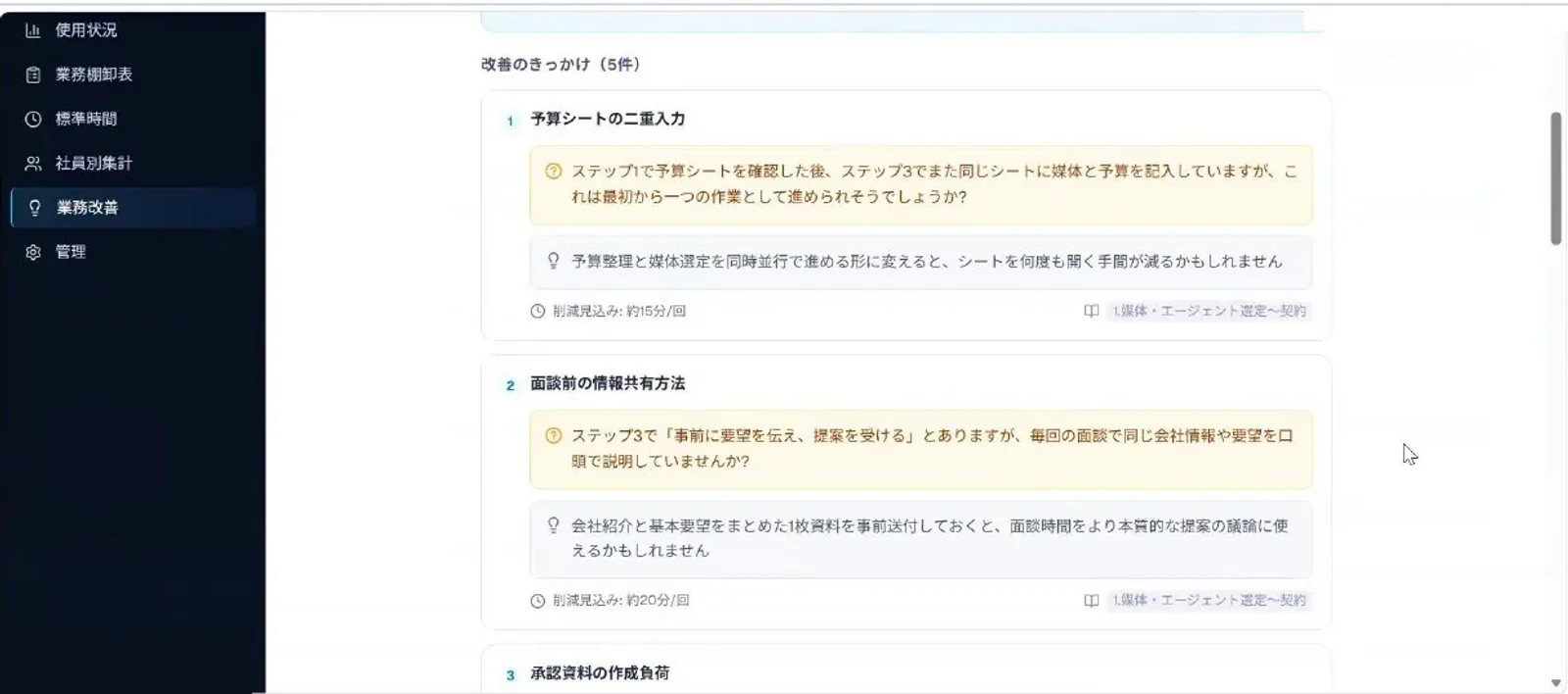
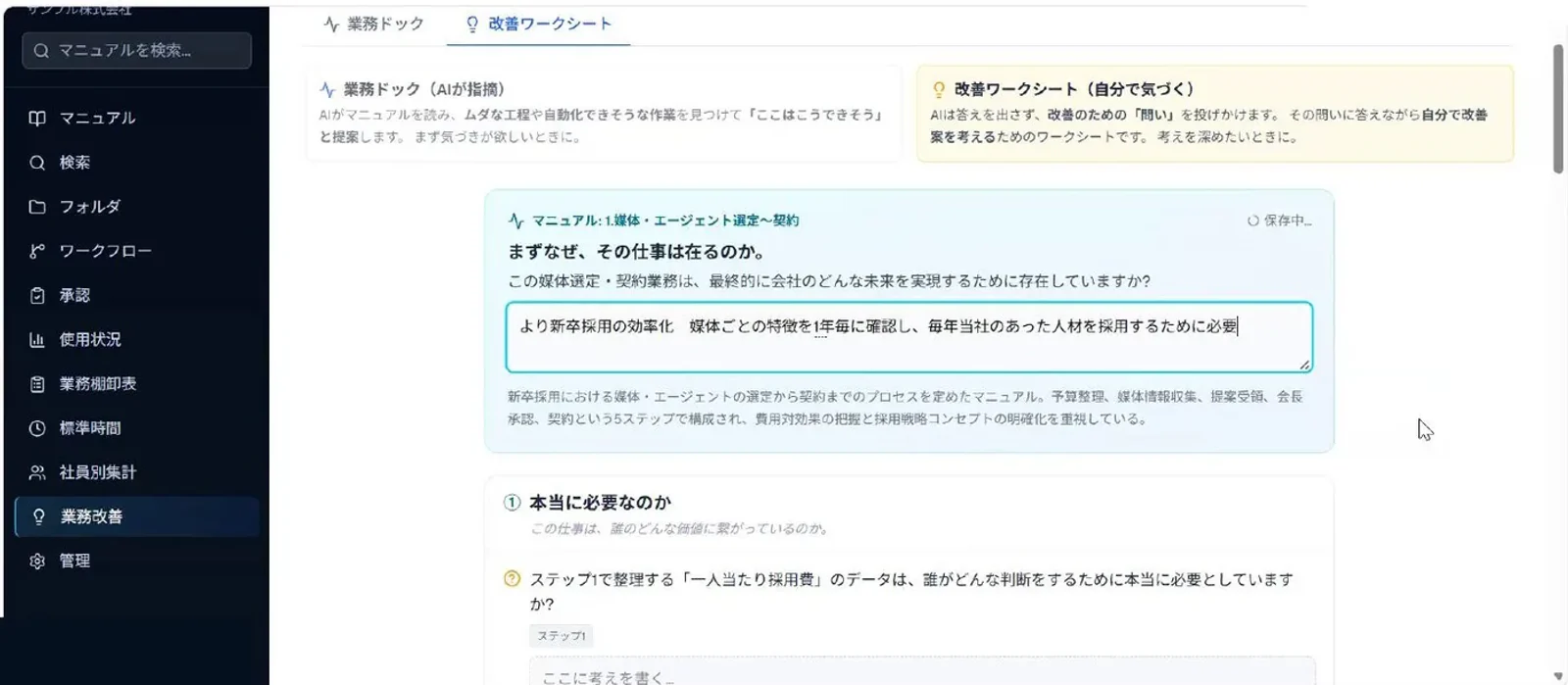
Beyond creation, Vistruction keeps standards alive. Its AI Quality Check scores every manual out of 100 across five axes, its Workflow Dock identifies waste and automation candidates with estimated time savings, and its Improvement Worksheet asks questions so employees design their own process upgrades.
Vistruction can be adopted on its own or connected to AIBOU and SCAD AI. It receives workflow drafts automatically generated from AIBOU PC work records, tracks standard times per step against measured execution time, and translates manuals so the same standard operates across overseas sites.
Key features
Multi-input manual creation
Generates step-by-step manuals and editable workflows from training videos, photos of paper flowcharts, existing SOP documents, or plain-text descriptions.
Automatic video-to-step splitting
Splits uploaded work recordings into numbered steps with drafted explanations, arrows, and captions, playable in a compact picture-in-picture window while working.
AI workflow builder with rework paths
Drafts complete process flows including step order, approvals, rework loops, swimlane views, ISO-style views, and a company-wide task inventory.
5-axis AI Quality Check
Scores every manual out of 100 on fit with the work, fit with the reader, clarity, completeness, and practicality, highlighting weak areas and concrete fixes.
Automation diagnosis and AI findings list
Rates each step as high automation, medium automation, or manual, calculates an automation rate, produces a one-page improvement report, and tracks resolved findings with estimated time saved.
Question-led Improvement Worksheet
Prompts frontline staff with structured questions instead of giving ready-made answers, guiding them to rethink whether each step is necessary and design improvements themselves.
Standard-time management
Sets and records standard working times per step with full change history, creating a baseline for measuring real operational performance.
Folder permissions, approvals, and usage tracking
Organizes manuals in hierarchical folders with owner, manager, member, and guest roles, official publication approvals, and view and update analytics.
AI search and overseas translation
Combines AI semantic search and text search with built-in manual translation so overseas branches can follow the same verified procedures.
Direct integration with AIBOU and SCAD AI
Connects in about five minutes to receive workflow drafts built from AIBOU work records and updates official manuals whenever SCAD AI kaizen projects complete.
How teams get started
Import existing operational reality
Upload a work video, photograph a paper flowchart, import existing SOPs, describe a workflow, or pull a measured draft from AIBOU.
Review AI-structured steps and quality scores
Edit the generated workflow, set standard times per step, and address gaps flagged by the 5-axis AI Quality Check.
Approve, translate, and publish
Run manuals through the folder approval workflow, translate them for overseas sites, and verify adoption through usage analytics.
Diagnose waste and keep manuals current
Use the Workflow Dock, Improvement Worksheet, and completed SCAD AI improvements to continuously refine procedures and cut wasted time.
Built for these teams
Operations leaders and COOs building repeatable, scalable standard operating procedures
Department managers capturing specialist know-how before staff turnover or expansion
Multi-country teams standardizing workflows across headquarters and overseas offices
Frontline staff onboarding quickly with visual step-by-step and video-backed manuals
FAQs
01What source materials can Vistruction convert into a manual?
Vistruction accepts training videos, photos of paper flowcharts, existing documents and SOPs, plain-text process descriptions, and workflow drafts imported from AIBOU.
02Which AI models power Vistruction's drafting and analysis?
Vistruction routes each job to specialized models: Claude for reasoning and drafting, Gemini for visual understanding of images and silent video, and Whisper for audio transcription.
03Can we adopt Vistruction without buying the rest of the SCAD suite?
Yes. Vistruction can be used standalone from day one, and teams can optionally connect AIBOU or SCAD AI later.
04How is Vistruction priced and is there a free trial?
A free two-week trial covers up to 10 accounts with AI features switched on and no automatic charge. Standard pricing is $500 per month for up to 50 people (+$10 per additional person) plus a one-time $1,000 setup fee, excluding tax.
05How does Vistruction work with AIBOU?
Connecting AIBOU to Vistruction takes about five minutes using a code; AIBOU sends workflow drafts built from real PC records into Vistruction, where the frontline reviews open questions, publishes official manuals, and compares standard times against measured times.
Other products
Ask for a demo of Vistruction.
Turn operational know-how into living AI manuals. Talk to our Bangkok team to arrange a walkthrough or discuss adoption in Thailand.